Most RefWorks account issues and Save to RefWorks (StR) login issues, in addition to interface misbehaviors, can be corrected with these simple solutions:
-
Clearing the internet browser cache of cookies - RefWorks login cookies can expire and need to be cleared from time to time by using these key combinations in the browser.
- Windows: Ctrl + Shift + Delete
- Mac: Command + Shift + Delete
- Chromebook: Ctrl + Shift + Backspace
- Deactivate any ad blocking or anti-tracking browser plugins – this is a good practice for all Clarivate products. Both the browser's settings and extensions like uBlock Origin, AdBlock, and others can block site functionality.
-
Assign new settings to the internet browser being used
-
Firefox
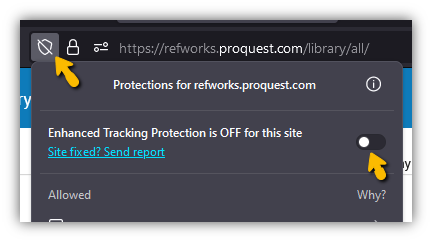
Firefox broswer -
Edge
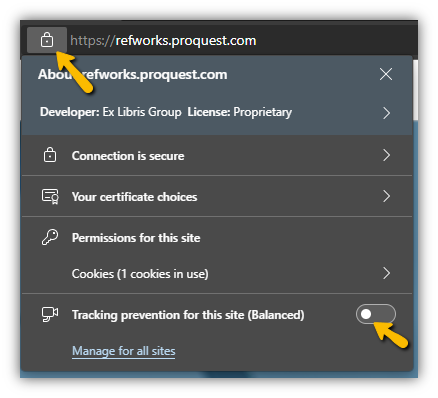
Edge browser -
Safari
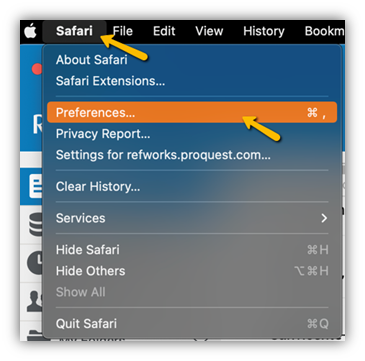
Safari browser
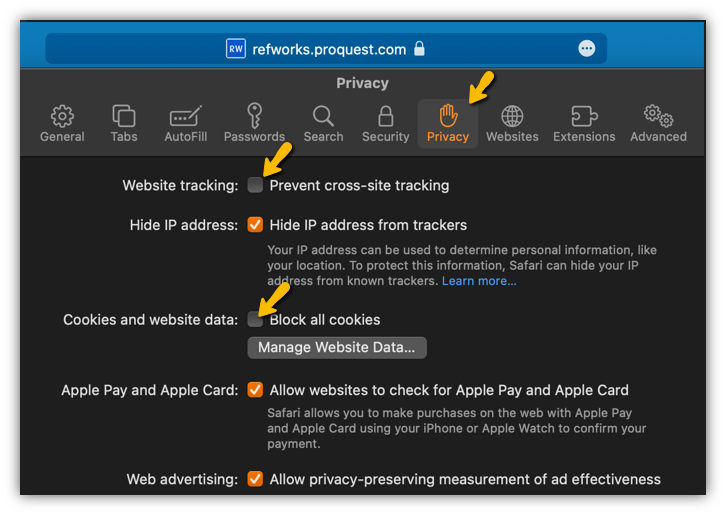
Safar browser privacy tab -
Chrome
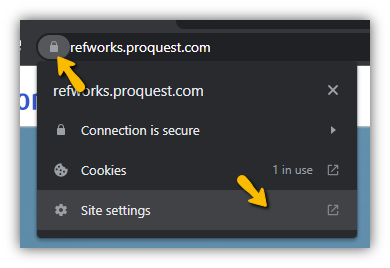
Chrome browser
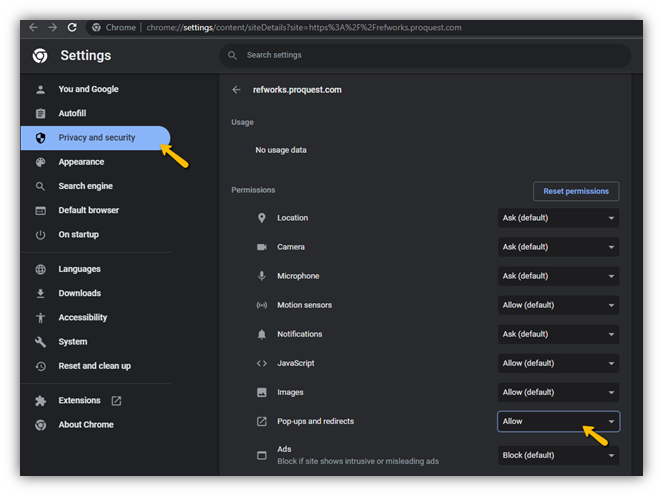
Chrome browser Privacy and security tab
-
-